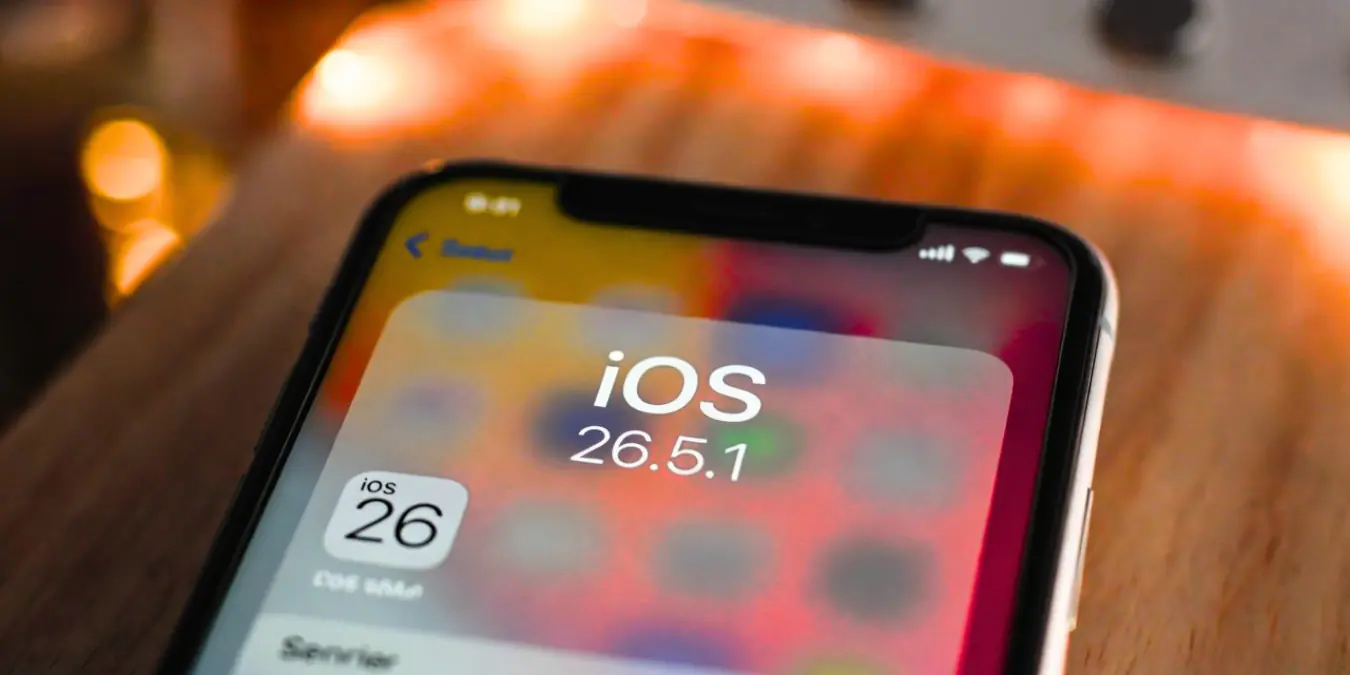
iOS 26.5.1 Could Launch Soon as Next iPhone Update: Everything You Need to Know
Apple is reportedly planning to release iOS 26.5.1 soon, marking the next significant iPhone update that could arrive within the coming days according to multiple trusted sources covering Apple developments. This point release follows iOS 26.5, which launched on May 10, 2026, bringing Maps updates, RCS encryption beta features, and other improvements to iPhone users. For iPhone owners waiting for the latest software, understanding what iOS 26.5.1 entails, when it might arrive, and whether you should update represents crucial information that impacts your device security and performance.
What Is iOS 26.5.1 and Why Does It Matter
iOS 26.5.1 represents a point update within Apple’s iOS 26 family, typically designed to address specific bugs, security vulnerabilities, or performance issues discovered after the initial iOS 26.5 release. Point releases like x.5.1 usually focus on stability improvements rather than introducing major new features, making them essential for users prioritizing device reliability and security. Apple’s update pattern shows that minor version bumps often arrive when the company identifies critical issues requiring faster resolution than waiting for the next major update cycle.
The significance of iOS 26.5.1 extends beyond routine maintenance because reports indicate Apple plans to release this update ahead of WWDC 2026, Apple’s annual Worldwide Developers Conference where the company typically unveils its next major iOS version. This timing suggests iOS 26.5.1 serves as a final stability patch before developers begin testing iOS 27, ensuring users running iOS 26 have a secure and reliable platform while Apple shifts focus to the next generation of features. Understanding this context helps iPhone users recognize why this update matters for their device’s long-term performance and security posture.
Expected Launch Timeline and Release Patterns
Based on Apple’s historical release patterns and current reporting, iOS 26.5.1 could launch within the coming days from late May 2026. Apple typically releases point updates on Thursday afternoons Pacific Time, which would correspond to Friday early morning in India Standard Time, making Thursday May 25 or Thursday June 1 strong candidates for the official release date. The fact that multiple reputable sources including MacRumors, 9to5Mac, and Forbes have reported on this upcoming update within the past three days indicates Apple has likely finalized the build and is preparing distribution infrastructure.
Apple’s update rhythm provides additional context for predicting when iOS 26.5.1 will arrive. iOS 26.5 launched on May 10, 2026, and given that point updates typically arrive two to four weeks after the previous major point release when critical issues warrant attention, the late May timing aligns perfectly with Apple’s operational patterns. The company often accelerates release schedules when security vulnerabilities are discovered, which may explain why iOS 26.5.1 is arriving relatively quickly after iOS 26.5 despite the typical longer gap between updates.
Key Features and Improvements Expected in iOS 26.5.1
While Apple has not officially detailed every change in iOS 26.5.1, industry analysis and Apple’s typical point update behavior suggest the release will focus on three primary areas: security patches, bug fixes, and performance optimizations. Security updates represent the most critical component, as Apple regularly addresses newly discovered vulnerabilities that could expose user data or allow malicious exploitation of iPhone systems. Users running iOS 26.5 for extended periods without this update may remain vulnerable to exploits that iOS 26.5.1 closes.
Bug fixes in iOS 26.5.1 likely address issues reported by users since iOS 26.5’s launch, including potential problems with Maps functionality, RCS messaging implementation, battery performance, or app compatibility. The iOS 26.5 release introduced RCS encryption beta features, and beta implementations often require follow-up patches to resolve stability issues that emerge during real-world usage. Users experiencing crashes, unexpected battery drain, or messaging problems may find iOS 26.5.1 resolves these specific concerns based on Apple’s historical approach to point updates.
Performance optimizations represent another expected component of iOS 26.5.1, as Apple regularly refines system efficiency based on telemetry data collected from iOS 26.5 users. These improvements might include better memory management, faster app launch times, reduced background activity, or improved thermal performance during intensive tasks. While individual users may notice modest gains, the cumulative effect across millions of devices significantly impacts Apple’s ecosystem performance metrics and user satisfaction scores.
Should You Update to iOS 26.5.1 When It Arrives
For most iPhone users, updating to iOS 26.5.1 when it becomes available represents the recommended approach, particularly given the security-focused nature of point updates. Security patches address vulnerabilities that could be exploited by malicious actors, and delaying updates leaves devices exposed to known risks that Apple has already identified and patched. The security implications alone justify updating within days of release rather than waiting weeks or months.
However, certain user scenarios warrant cautious consideration before updating immediately. Professional users relying on iPhones for critical work operations might wait 48 to 72 hours after release to monitor early user reports for any unexpected issues affecting specific apps or workflows. Enterprise environments with managed devices should coordinate with IT departments to ensure compatibility with business applications before deploying iOS 26.5.1 across organizational devices. These precautions don’t mean avoiding the update but rather timing it strategically to minimize potential disruption.
Users currently experiencing stable performance on iOS 26.5 without security concerns might reasonably wait a week before updating, though this approach carries inherent risk since new vulnerabilities could be discovered at any time. The tradeoff involves balancing immediate stability against long-term security, and for most consumers, the security benefits outweigh the marginal risk of encountering a new bug in iOS 26.5.1. Apple’s rigorous testing process before public release significantly reduces the likelihood of critical issues, making the update generally safe for immediate installation.
How to Prepare Your iPhone for iOS 26.5.1
Before updating to iOS 26.5.1, proper preparation ensures a smooth installation process and protects your data against potential complications. Creating a complete backup represents the most critical preparation step, as updates, while rarely problematic, can occasionally encounter issues requiring restoration. iCloud backup provides the most convenient option, accessible through Settings, your name, iCloud, iCloud Backup, and tapping Back Up Now. Alternatively, creating a local backup via Finder on Mac or iTunes on Windows provides additional redundancy and faster restoration if needed.
Ensure your iPhone has sufficient battery life or connect it to power before initiating the update, as iOS updates require adequate power to complete without interruption. Apple recommends at least 50 percent battery or keeping the device plugged into a charger during the update process. Additionally, verify you have enough available storage space, as iOS 26.5.1 will require several gigabytes for download and installation. Checking storage through Settings, General, iPhone Storage helps identify if cleanup is necessary before updating.
Stable internet connectivity significantly impacts update success, so connect to reliable Wi-Fi rather than cellular data for downloading iOS 26.5.1. Large update files can consume substantial cellular data and may fail mid-download if connection quality fluctuates. Wi-Fi networks also provide faster download speeds, reducing the total time required to prepare for installation. If possible, avoid updating during peak hours when network congestion might slow downloads or cause interruptions.
Installing iOS 26.5.1: Step-by-Step Guide
When iOS 26.5.1 becomes available, installing the update follows Apple’s standard software update process. Navigate to Settings, General, Software Update on your iPhone, and the device will automatically check for available updates. If iOS 26.5.1 appears, tap Download and Install, enter your passcode when prompted, and confirm the installation. Your iPhone will restart during the process, which typically takes 15 to 30 minutes depending on your device model and internet speed.
Alternative installation methods include using a computer for users who prefer manual control or have experienced issues with over-the-air updates previously. Connect your iPhone to a Mac running Finder or a Windows PC with iTunes, select your device when it appears, and click Check for Updates. If iOS 26.5.1 is available, click Download and Update, following the on-screen prompts to complete installation. Computer-based updates sometimes proceed faster and more reliably than wireless updates, particularly for users with slower internet connections.
After installation completes, your iPhone will boot into iOS 26.5.1, and you may notice a brief period of background optimization as the system indexes files and adjusts performance settings. During this time, which typically lasts several hours, you might experience slightly reduced battery life or occasional app reloads. This behavior is normal and resolves automatically as iOS completes its optimization processes. Avoid performing intensive tasks immediately after updating to allow the system to stabilize properly.
iOS 26.5.1 Security Implications and Vulnerability Fixes
Security represents the primary justification for updating to iOS 26.5.1 promptly, as point releases frequently address critical vulnerabilities discovered after the previous update’s launch. Apple’s security team actively monitors for exploits reported by security researchers, bug bounty participants, and internal testing, patching vulnerabilities that could enable unauthorized access to user data, location information, or device controls. Running outdated iOS versions leaves devices vulnerable to known exploits that malicious actors actively exploit in targeted attacks.
The security implications extend beyond individual users to include protection against widespread threats. Vulnerabilities that affect iOS 26.5 could be weaponized in mass attack campaigns targeting iPhone users globally, making prompt updating a critical component of personal cybersecurity hygiene. Apple often releases security content documentation alongside updates detailing specific vulnerabilities addressed, providing transparency about the risks mitigated by updating to iOS 26.5.1.
Enterprise users and privacy-conscious individuals should particularly prioritize iOS 26.5.1 updates, as business environments often represent attractive targets for sophisticated attacks. Corporate data stored on iPhones, access to work email, and integration with enterprise systems create additional attack surfaces that security patches help protect. Organizations with mobile device management policies should ensure timely deployment of iOS 26.5.1 across all managed devices to maintain security compliance and protect organizational assets.
Compatibility: Which iPhone Models Support iOS 26.5.1
iOS 26.5.1 maintains compatibility with all iPhone models supporting iOS 26, ensuring broad device support across Apple’s current and recent iPhone lineup. Based on iOS 26’s requirements, supported devices include iPhone XS, iPhone XS Max, iPhone XR, and all subsequent models through iPhone 16 series, encompassing more than five years of iPhone hardware. This extensive compatibility reflects Apple’s commitment to long-term software support, providing security updates and feature improvements to devices well beyond their initial release dates.
Older iPhone models like iPhone X, iPhone 8, and iPhone 8 Plus do not support iOS 26 and therefore cannot install iOS 26.5.1, as these devices reached the end of major iOS version support in previous years. Users with incompatible devices should evaluate whether upgrading to a supported iPhone model makes sense given the security implications of running outdated software. Devices unable to receive security updates become increasingly vulnerable over time as new vulnerabilities are discovered and patched only for supported models.
Performance considerations vary across supported iPhone models, with newer devices typically experiencing smoother performance after updates compared to older hardware. iPhone 15 and iPhone 16 models with A16 and A17 chips will likely benefit most from iOS 26.5.1’s optimizations, while iPhone XS and XR users might notice more modest improvements. Regardless of device age, security benefits remain consistent across all supported models, making the update essential regardless of performance expectations.
iOS 26.5.1 and WWDC 2026: Understanding the Timing Connection
The timing of iOS 26.5.1’s release connects meaningfully to WWDC 2026, Apple’s annual developers conference where the company typically announces iOS 27 and provides developer previews of next-generation features. Releasing iOS 26.5.1 ahead of WWDC serves multiple strategic purposes for Apple, including stabilizing the current iOS version before shifting engineering focus to iOS 27 development and ensuring users have a secure platform while beta testing begins for the next major version.
This pattern reflects Apple’s established approach to software development cycles, where point updates stabilize the current version before major announcements create user anticipation for new features. WWDC 2026 is expected in early June 2026, and releasing iOS 26.5.1 in late May ensures the iOS 26 branch receives final polishing before Apple’s public focus shifts to iOS 27/features. users receiving iOS 26.5.1 benefit from this strategic timing, as the update represents Apple’s commitment to maintaining current software quality even while developing future innovations.
Understanding this context helps iPhone users recognize that iOS 26.5.1 represents more than routine maintenance but rather a strategic component of Apple’s broader software ecosystem management. The update demonstrates Apple’s dedication to supporting existing users while innovating for the future, balancing immediate security needs with long-term product development priorities that benefit the entire iPhone user base.
Troubleshooting Common iOS Update Issues
Despite Apple’s rigorous testing, some users may encounter issues during or after iOS 26.5.1 installation, and knowing how to resolve common problems prevents unnecessary frustration. Download failures often result from insufficient storage, unstable internet connections, or Apple server congestion during initial release periods. Freeing storage space by deleting unused apps or media, switching to reliable Wi-Fi, or waiting 24 hours for server demand to decrease typically resolves download issues.
Installation failures requiring restore mode involve connecting your iPhone to a computer, entering recovery mode by pressing and rapidly releasing Volume Up, pressing and rapidly releasing Volume Down, then holding the Side button until the recovery screen appears, and selecting Restore in Finder or iTunes. This process reinstalls iOS completely, resolving most installation issues while preserving your data if you have a recent backup. Users concerned about data loss should ensure backups exist before attempting restore procedures.
Post-update problems like battery drain, app crashes, or performance issues often resolve within 24 to 48 hours as iOS completes background optimization processes. If problems persist beyond this period, restarting the iPhone, updating problematic apps through the App Store, or resetting all settings through Settings, General, Transfer or Reset iPhone, Reset, Reset All Settings can resolve issues without erasing personal data. These troubleshooting steps address most common post-update concerns without requiring professional assistance.
The Bigger Picture: Apple’s Update Philosophy and User Trust
Apple’s approach to iOS updates, including releases like iOS 26.5.1, reflects the company’s commitment to E-E-A-T principles that build user trust and establish authoritativeness in the mobile operating system market. Experience emerges through Apple’s decades of iOS development refining update processes based on millions of user interactions. Expertise demonstrates in the technical sophistication of security patches and performance optimizations that address complex vulnerabilities invisible to average users.
Authoritativeness manifests through Apple’s industry-leading security research team and partnerships with security researchers worldwide who identify vulnerabilities before malicious actors exploit them. Trustworthiness builds through consistent delivery of reliable updates that protect user data and maintain device functionality over years of use. iOS 26.5.1 exemplifies these principles by providing timely security patches without compromising user experience, reinforcing why Apple maintains market leadership despite competitive pressures.
Understanding Apple’s update philosophy helps users make informed decisions about software maintenance rather than viewing updates as optional or inconvenient. The security and performance benefits of keeping iOS current represent fundamental components of responsible device ownership, protecting not only individual users but contributing to ecosystem-wide security by reducing the number of vulnerable devices that could participate in botnets or spread malware.
Final Recommendations for iPhone Users
iOS 26.5.1 represents an important update that iPhone users should prioritize for security, stability, and optimal performance. Back up your device, ensure sufficient storage and battery, connect to reliable Wi-Fi, and install the update when it becomes available through Settings, General, Software Update. Most users should update within days of release to minimize security exposure while monitoring early user reports if you operate in critical professional environments requiring absolute stability.
Stay informed about Apple updates through trusted sources like MacRumors, 9to5Mac, and Apple’s official developer documentation, which provide accurate information without speculation or misinformation. Avoid downloading iOS updates from unofficial sources, as these may contain malware or compromised software. Apple’s official update mechanism through Settings or authorized computers provides the only safe method for installing iOS 26.5.1.
Your iPhone’s security and performance depend on keeping software current, and iOS 26.5.1 exemplifies why this practice matters. By understanding what the update offers, when it arrives, and how to install it properly, you position yourself to benefit from Apple’s continued investment in protecting and improving the iPhone experience for millions of users worldwide.