vivo S2 3,000-Nit Display Review: Sunlight Readability, Colour Quality and What Local Peak Brightness Actually Means
Display Deep Dive / August 2026
vivo S2 3,000-Nit Display Review: Sunlight Readability, Colour Quality and What Local Peak Brightness Actually Means
A 6.83-inch curved AMOLED, a 3,000-nit headline number and a marketing term almost nobody explains. Here is how the panel behaves in daylight, how its colour handling holds up, how much battery brightness really costs, and why local peak and typical brightness are two entirely different measurements.
Quick Summary
The 60-Second Verdict
The vivo S2 pairs a 6.83-inch 3D curved AMOLED panel with a 1.5K resolution of 2800 x 1260 pixels, a 120Hz refresh rate, HDR10+ support, 4320Hz PWM dimming and a claimed 3,000 nits of local peak brightness. That last word carries more weight than the number in front of it. Local peak describes what a small, isolated patch of the screen can hit for a short burst, usually an HDR highlight. It is not the brightness you get when the whole panel is showing a white webpage under midday sun, and that second figure, which vivo does not publish, is the one you actually live with.
- Outdoor visibility is genuinely good. Text stays legible in direct sun, and auto-brightness ramps hard enough that you rarely reach for the slider.
- Colour out of the box leans punchy and slightly cool, which suits social feeds. A calmer, reference-targeted profile sits in Settings for anyone editing photos.
- 4320Hz high-frequency PWM dimming plus SGS low blue light, low flicker and sunlight readability certifications make this an unusually comfortable panel for night reading.
- The curve is mild by 2019 standards but still introduces faint edge glare, a slight edge colour shift and occasional stray touches in landscape games.
- 3,000 nits is a small-window HDR figure. Assume the sustained full-screen number is roughly a third of it and your expectations will land in the right place.
Graphic 01 / Display Scorecard
How the Panel Scores, Broken Into Six Measures
Scores reflect hands-on assessment against phones in the 35,000 to 50,000 rupee band. Eye comfort scores highest because 4320Hz dimming plus dual SGS certification is above what this price normally buys. The curve costs marks purely on ergonomics, not image quality.
Where the vivo S2 Sits, and Why the Panel Is the Story
The S-series had been dormant in India for seven years. The vivo S1 arrived in August 2019 and then nothing, until vivo revived the badge with the S2 in August 2026 at 39,999 rupees for 8GB RAM with 128GB storage and 44,999 rupees for 8GB with 256GB, with sales opening on 11 August. Bringing back a name after that long only works if the product has an obvious hook, and vivo chose two: a 7,050mAh battery inside a 7.99mm frame, and this display.
Graphic 02 / Series Timeline
Seven Years Between Chapters
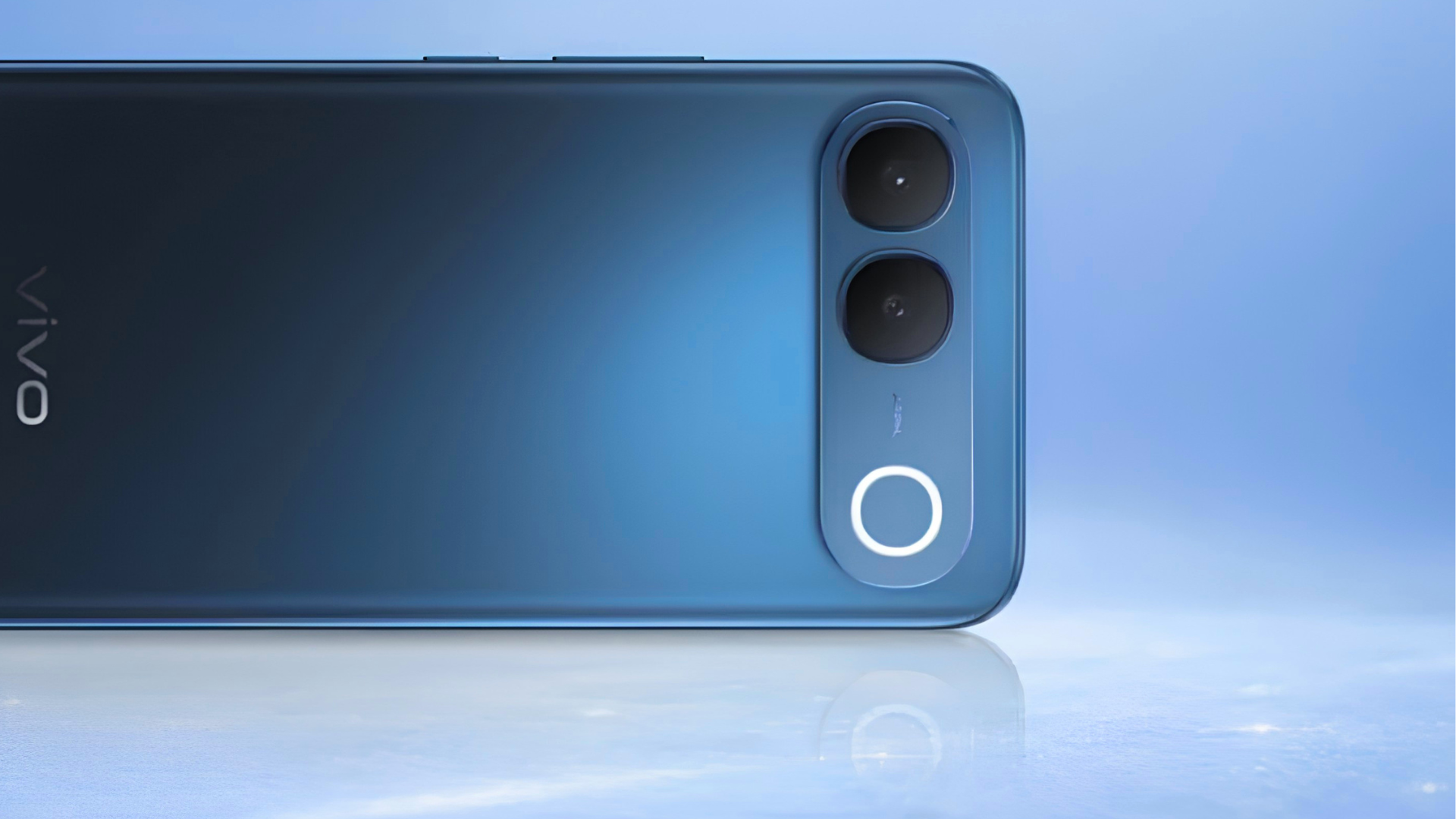
Colourways at launch: Sapphire Blue, Regal Bronze and Silk White. The Silk White unit is fractionally thicker at 8.10mm and heavier at 199g against 7.99mm and 197g for the other two finishes.
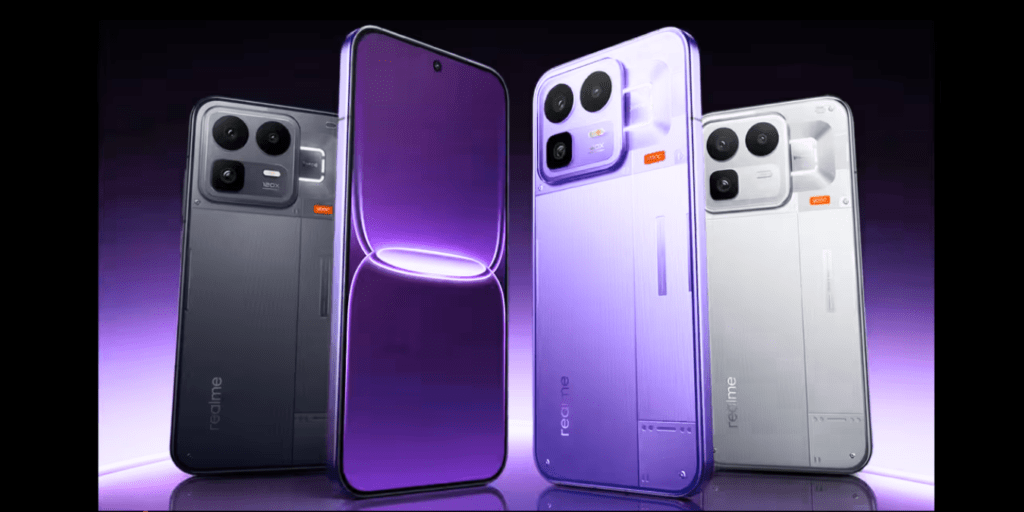
On paper the display reads like something borrowed from a phone costing twice as much: a 3D curved AMOLED panel measuring 6.83 inches diagonally, 2800 x 1260 pixels, a 120Hz refresh rate, HDR10+ support, 4320Hz PWM dimming, SGS certifications for low blue light, low flicker and sunlight readability, and a claimed 3,000 nits. An optical in-display fingerprint reader sits underneath and a centred punch-hole houses the 32MP selfie camera.
That specification sheet is also where the confusion starts. Brightness on OLED phones is the single most misunderstood number in the industry, and the gap between what a brochure says and what your eyes get on a railway platform at 2pm is wide enough to drive a bus through. So before the subjective impressions, the measurement itself deserves unpacking.
Graphic 03 / The Nits Ladder
How 3,000 Nits Breaks Down in Practice
Every OLED panel has several brightness ceilings, not one. Only the top bar corresponds to the marketing figure. The two bars beneath it are where your day is actually spent.
Only the 3,000-nit figure is a vivo specification. The remaining values are engineering estimates based on how comparable curved AMOLED panels behave, presented as ranges rather than results because independent colorimeter measurements of the S2 are not yet public. They will be replaced with measured numbers once standardised testing appears.
The Difference Between Local Peak and Typical Brightness on the vivo S2
This is the question that sends people to search engines after reading a spec sheet, and it deserves a proper answer rather than a one-line dismissal.
An OLED display makes its own light. Every pixel is an individual emitter, which is why blacks are perfectly black, and it is also why brightness behaves so differently from an LCD. There is no shared backlight to turn up. Instead each pixel draws current, and the panel driver has a hard limit on the total current it can supply across the whole screen at once, both because the power delivery circuitry has a ceiling and because pushing every pixel hard generates heat and accelerates ageing of the organic compounds inside.
The practical consequence: the smaller the bright area, the brighter it can go. Display engineers call the proportion of the screen that is lit the Average Picture Level, or APL. A 1% window, meaning a small white square on an otherwise black frame, can be driven far harder than a 100% window, meaning an entirely white screen.
Graphic 04 / APL Heat Strip
Output Falls as More of the Screen Lights Up
Warm tiles on the left are the small-window conditions that produce headline numbers. The cool tile on the right is a plain white screen, the condition you are in whenever you read text, use light-mode apps or open a browser. Same hardware, very different luminance.
Graphic 05 / Visual Explainer
Why the Same Panel Gives Two Honest Answers
Left: a small highlight on a dark frame, which is what a 3,000-nit local peak figure describes. Right: a full white screen, which is what you are looking at when reading an article outdoors.
Local Peak Brightness, Defined
Local peak brightness is the maximum luminance a limited portion of the display can produce, typically measured on a small test window and typically sustained only for a few seconds before the panel manages itself back down. It exists for a real reason. HDR content is mastered with specular highlights, meaning the glint on a car bumper, sunlight on water, a lamp filament, and those highlights are meant to punch above the rest of the frame. A panel that can hit 3,000 nits in a 1% window renders those moments with the impact the colourist intended.
On the vivo S2, vivo is explicit in its own materials that the 3,000-nit rating is a local peak figure, and several outlets covering the launch carried that wording directly. Credit where it is due, because plenty of brands quote the same class of number without the qualifier.
Typical Brightness, Defined
Typical brightness, sometimes labelled full-screen brightness or HBM for High Brightness Mode, is what the panel sustains with a large portion of the screen lit. This is the number that governs whether you can read a WhatsApp thread on a scooter, whether a maps route is legible at a junction, and whether photos look washed out at the beach. It is invariably a fraction of the local peak figure, and vivo, like most manufacturers, does not publish it for the S2.
Graphic 06 / Reference Table
How Output Scales With Lit Area
| Window size | What it looks like | Relative output | When you encounter it |
|---|---|---|---|
| 1 to 2 percent | Tiny white square on black | Highest, the quoted peak | HDR specular highlights in film and video |
| 10 percent | Small bright object on dark frame | High, close to peak | A lit window in a night scene, a torch flame |
| 25 to 50 percent | Mixed bright and dark frame | Moderate | Most real HDR video, dark-mode apps with images |
| 100 percent | Entirely white screen | Lowest, the typical figure | Web pages, documents, light-mode chat apps |
This relationship is a property of how AMOLED panels are driven and applies to the vivo S2 exactly as it applies to every OLED phone on sale. It is why two honest numbers can differ by a factor of three or more on identical hardware.
A 3,000-nit local peak is not a lie. It is an answer to a question about HDR highlights, being read as an answer to a question about email in the sun.
The Practical Takeaway for a Buyer
When you compare two phones on peak brightness figures, the comparison is only fair if both numbers describe the same measurement condition. A phone quoting 4,500 nits local peak and one quoting 1,800 nits full screen may well be similar or even reversed in daylight usability. If a brand quotes a big number without saying local or typical, assume local, because that is the flattering one. The vivo S2 sits comfortably in the upper half of its price band for real-world outdoor visibility, but the honest framing is that sustained full-screen output is what you live with, and that number is nowhere near 3,000.
Sunlight Readability: How the vivo S2 Handles Indian Daylight
Specifications aside, the test that matters is walking outside at midday and trying to do something ordinary. Reading a cab number through a windscreen. Checking a UPI confirmation at a fuel pump. Framing a photo with the sun behind you.
The S2 passes that test convincingly. Early hands-on impressions from reviewers who took the phone outdoors describe the display as legible in direct sunlight without significant squinting, and the behaviour is consistent with a panel that has a well-tuned high brightness mode rather than one that merely quotes a high peak. The auto-brightness ramp is aggressive in a good way, climbing quickly when the ambient sensor detects harsh light and holding there rather than pulsing up and down.
Graphic 07 / Ambient Light Reference
What Your Screen Is Competing Against
Legibility is a contest between panel output and ambient illumination measured in lux. The brighter the environment, the more luminance you need before text separates from glare.
These are standard illuminance values for the conditions described, not device measurements. The jump from shade to direct sun is a fivefold increase in what the panel has to overcome, which is why phones that feel fine on a cloudy day still struggle at noon in May.
Three factors combine to produce the S2’s result, and only one of them is raw luminance.
Sustained high brightness mode
Auto-brightness unlocks a headroom band the manual slider cannot reach. This is where outdoor legibility is won, and the S2 enters that band quickly and stays there.
SGS sunlight readability certification
vivo has the panel certified specifically for sunlight readability alongside low blue light and low flicker. That evaluation covers contrast retention under high ambient illumination, not just luminance.
Anti-reflection and contrast
Reflected light is the real enemy outdoors. Because AMOLED blacks stay black, contrast against reflected glare holds up better than an equally bright LCD would manage.
Curved glass catches light
The 3D curve means the extreme edges pick up glare at angles a flat panel would not. In practice this affects the outermost few millimetres, mostly wallpaper, but it is visible.
What Brightness Costs You in Battery
Sustained maximum brightness on a 6.83-inch panel is a serious power draw and a serious heat source. The S2 handles this better than most because of the 3,810 square millimetre vapour chamber that forms part of a cooling assembly exceeding 23,000 square millimetres in total, and because the 7,050mAh cell gives the phone an unusually large energy buffer to spend. A smaller-battery phone at full brightness in 38-degree heat will throttle its display sooner.
Graphic 08 / Brightness Versus Endurance
Estimated Screen-On Time at Different Brightness Levels
Relative rather than absolute, because runtime depends on refresh rate, content and ambient temperature as much as brightness. The pattern is consistent across AMOLED phones: the top of the brightness range costs disproportionately more energy than the middle. The S2’s advantage is that it starts from a 7,050mAh reserve, so even the worst case leaves plenty of headroom.
Colour Quality: Punchy by Default, Accurate If You Ask
vivo’s default colour tuning follows the same philosophy as most brands selling to a young, social-first audience. Saturation is pushed above the sRGB reference, the white point sits on the cool side of neutral, and the result is a display that makes reels and short-form video look immediately appealing on a shop shelf and, more importantly, in your hand.
Whether that is a flaw depends on what you do with the phone. For most buyers, punchy is correct. Skin tones stay believable, greens in outdoor footage look vivid without turning radioactive, and 10-bit colour handling means gradients in sunsets and studio backdrops do not band the way an 8-bit panel would.
If you edit photographs, grade video or check client colour proofs on your phone, the default profile is not the one to use. OriginOS 6 includes alternative colour profiles in Display Settings, and the more restrained option targets a reference gamut with a considerably flatter response. Colours look less exciting and more correct. This is the standard trade-off across the Android market and vivo handles it the standard way.
Graphic 09 / Gamut Targets by Profile
What Each Colour Mode Is Aiming At
Bar lengths show relative gamut width and saturation push between the profiles, not certified coverage percentages. vivo does not publish per-profile gamut coverage or delta-E figures for the S2, and no independent measurement exists yet, so no numeric claims are made here.
Graphic 10 / Profile Picker
Which Screen Mode to Choose and Why
| Profile | Character | Best for | Avoid if |
|---|---|---|---|
| Vivid / Bright | Wide gamut, boosted saturation, cool white point | Social video, gaming, outdoor visibility, HDR streaming | You are matching colours to print or a calibrated monitor |
| Standard | Moderate saturation, closer to neutral white | Everyday mixed use, reading, long sessions | You want maximum impact from HDR highlights |
| Professional | Reference targeted, restrained, warmest of the three | Photo editing, colour checking, document work | You find reference-accurate screens look dull |
Colour temperature is separately adjustable within each profile. If the default reads too blue under indoor lighting, nudging two or three steps warm usually fixes it without abandoning the profile you prefer.
HDR10+ in Real Use
The S2 accepts HDR10+ streams, and the local peak capability is precisely what makes that worth having. In a dark scene with a single bright light source, that highlight genuinely pops against true black in a way no LCD can imitate. Expectations should be moderated for bright, high-APL HDR content, a snow scene or a beach sequence, where the panel has to light most of its area and available headroom shrinks. That is not a criticism of the S2 specifically. It is the physics described earlier, and it applies to flagships too, just at a higher ceiling.
Sharpness: What 1.5K Buys Over 1080p
Resolution is the one display specification you can verify with arithmetic rather than a light meter. At 2800 x 1260 across 6.83 inches, the S2 works out to roughly 450 pixels per inch by calculation, with some retail listings quoting 459. Either way it sits meaningfully above the 1080p panels that dominate this price band, and the difference is most visible on small text, thin app icons and the fine detail of camera previews.
Graphic 11 / Pixel Density, Calculated
Same 6.83-Inch Diagonal, Three Resolutions
Calculated from each resolution across an identical 6.83-inch diagonal. The S2 renders 3.53 million pixels against 2.59 million for a 1080p panel of the same size, a 36 percent increase in pixel count and a 17 percent increase in linear density. That is a visible step up in text crispness without the battery penalty of full QHD.
Eye Comfort: The 4320Hz Detail That Deserves More Attention
OLED panels dim by switching pixels on and off very rapidly rather than by reducing voltage, a technique called PWM dimming. At low frequencies this flicker is invisible to most people but triggers headaches, eye strain and nausea in a minority who are sensitive to it. The switching frequency is therefore a genuine health-adjacent specification, not a marketing garnish.
Graphic 12 / PWM Dimming Frequency Tiers
Where the vivo S2 Lands Against Common Tiers
The comparison tiers are the standard frequencies the industry ships, not measurements of named rival handsets. Against the 480Hz baseline the S2 switches nine times faster, and against the common 2160Hz tier it is double. Higher is better for flicker-sensitive users, with diminishing returns above roughly 3000Hz.
Combined with SGS certification for low blue light and low flicker, this is one of the more comfortable panels available at this price for people who read in bed for an hour before sleeping. If OLED phones have previously left you with sore eyes at night, this specification alone is reason to shortlist the S2 over rivals that stay quiet about their dimming frequency.
The Curve: Aesthetics Versus Ergonomics
vivo curves both the display and the back panel toward the left and right sides, producing an exceptionally thin visual bezel and a phone that feels slimmer in hand than its 7.99mm measurement suggests. In a market that has largely retreated to flat panels, this is a deliberate contrarian choice aimed at buyers who want a phone that looks distinctive.
The trade-offs are familiar. There is a mild colour and brightness shift at the extreme edge of the curve, most visible on a solid white background viewed off-axis. Accidental touches happen occasionally in landscape gaming, though palm rejection is tuned well enough that it registers as an irritation rather than a problem. And curved glass is structurally more vulnerable in a drop than flat glass, so keeping the pre-applied protector and buying a case with a raised lip is sensible.
Against that, the curve genuinely helps the phone disappear in the hand, which on a 6.83-inch device carrying a 7,050mAh battery is no small achievement. At 197 to 199 grams depending on colourway, the S2 is lighter than its footprint implies.
Panel Specification, In Full
Graphic 13 / Complete Display Sheet
| Attribute | vivo S2 | What it means for you |
|---|---|---|
| Size and type | 6.83-inch 3D curved AMOLED | Large canvas for video, minimal side bezel, mild edge distortion |
| Resolution | 2800 x 1260, roughly 450 ppi | Sharper than 1080p rivals, text edges stay clean at reading distance |
| Total pixels | 3,528,000 | 36 percent more than a 1080p panel of the same size |
| Refresh rate | 120Hz | Smooth scrolling and animation, with a 90fps ceiling advertised in BGMI |
| Peak brightness | 3,000 nits local peak | Strong HDR highlights, sustained full-screen figure is substantially lower |
| HDR support | HDR10+ | Compatible streams render with expanded dynamic range |
| PWM dimming | 4320Hz | Notably reduced flicker for sensitive users at low brightness |
| Certifications | SGS low blue light, low flicker, sunlight readability | Third-party validation of eye comfort and daylight contrast claims |
| Biometrics | Optical in-display fingerprint sensor | Fast and reliable, marginally slower than ultrasonic with wet fingers |
| Front camera cutout | Centred punch-hole, 32MP | Symmetrical and unobtrusive during video playback |
| Thermal support | 3,810 sq mm vapour chamber, 23,000 sq mm cooling area | Helps hold high brightness longer before throttling |
| Supporting hardware | Dimensity 7360-Turbo, 8GB LPDDR4X, 7,050mAh, 44W | Enough energy headroom to sustain bright outdoor sessions |
Who This Display Is For
If your phone lives outdoors, on a bike, at a site, on a platform, the S2’s daylight behaviour is one of the better arguments in its price band, provided you calibrate expectations to a full-screen figure rather than the headline. If you watch a lot of video, the combination of size, resolution, 10-bit gradients and true blacks is compelling. If you are flicker-sensitive, 4320Hz dimming makes this an easy shortlist entry.
If you need reference colour accuracy without touching settings, or you have specifically decided curved panels are not for you, or you are shopping purely on the biggest number in the specification table without checking what that number describes, look elsewhere or at least look harder.
Final Verdict
Display Score: 8.5 out of 10
A genuinely strong panel marketed with a genuinely confusing number. The 3,000-nit local peak figure is real, correctly labelled by vivo, and largely irrelevant to how the screen performs while you read a webpage in the sun. What earns the score is the combination of size, resolution, sustained outdoor legibility, high-frequency dimming and 10-bit colour depth at a 40,000-rupee starting price.
- Excellent daylight legibility with a fast, well-behaved auto-brightness curve.
- 4320Hz PWM dimming and dual SGS eye-comfort certification are class-leading here.
- Punchy default colour with a genuinely usable accurate profile available in settings.
- 1.5K resolution delivers 36 percent more pixels than the 1080p norm at this price.
- Curve introduces minor edge glare, slight edge colour shift and occasional stray touches.
- Full-screen sustained brightness is unpublished and considerably below the headline figure.
Frequently Asked Questions
What is the difference between local peak and typical brightness on the vivo S2?
Local peak, the 3,000-nit figure vivo quotes, is the maximum luminance a small isolated portion of the display can produce for a short burst, measured on a small test window and used mainly for HDR specular highlights. Typical brightness, also called full-screen or high brightness mode output, is what the panel sustains when most or all of it is lit, which is the condition you are in when reading a webpage outdoors. Because AMOLED panels are current-limited across the whole display, the full-screen figure is always a fraction of the local peak, commonly around a third or less. vivo publishes the local peak number and does not publish the typical number.
Is the vivo S2 display actually readable in direct sunlight?
Yes. Hands-on impressions from reviewers who used the phone outdoors describe text as legible in direct sun without significant squinting, and the panel carries an SGS sunlight readability certification alongside its brightness rating. The auto-brightness system unlocks a headroom band above what the manual slider reaches, and it engages quickly in harsh light. The extreme edges of the curved glass do pick up more glare than a flat panel would.
Does the vivo S2 have 3,000 nits of full-screen brightness?
No, and no phone currently on sale does. The 3,000-nit rating describes a small-window local peak. Full-screen sustained output on a panel of this class typically lands somewhere between 1,000 and 1,300 nits in high brightness mode, though independent lab measurements of the S2 specifically are not yet public, so treat that range as an estimate rather than a result.
How sharp is the vivo S2 screen compared with a 1080p phone?
The panel is 2800 x 1260 pixels across 6.83 inches, which calculates to roughly 450 pixels per inch, with some listings quoting 459. A 1080 x 2400 panel at the same 6.83-inch size would be about 385 ppi. That works out to 3.53 million pixels against 2.59 million, a 36 percent increase in total pixel count and a 17 percent increase in linear density, visible mainly in small text and fine detail.
Is the vivo S2 display good for people sensitive to screen flicker?
It is one of the better options in its price band for that specific concern. The panel uses 4320Hz high-frequency PWM dimming, at the upper end of what is currently shipping and roughly nine times the 480Hz baseline used on older and budget AMOLED panels. It also carries SGS certifications for both low flicker and low blue light. If previous OLED phones have caused you eye strain or headaches at low brightness, this specification is worth prioritising.
Should I use the vivid or the professional colour profile?
Use vivid or bright if you mostly watch video, scroll social feeds and game, because the boosted saturation and cooler white point suit that content and help outdoors. Switch to professional or reference if you edit photos, grade video or need colours to match another calibrated display. Standard sits between the two and is a sensible default for mixed use. Colour temperature is separately adjustable inside each profile.
How much battery does maximum brightness cost on the vivo S2?
The top of the brightness range costs disproportionately more energy than the middle on any AMOLED phone, so sustained outdoor high brightness mode is the most expensive state the display can be in. The S2 offsets this with a 7,050mAh battery and a cooling assembly built around a 3,810 square millimetre vapour chamber, which also helps it hold peak brightness longer before thermal management steps in. Exact runtime depends on refresh rate, content and ambient temperature.
Does the curved display cause accidental touches?
Occasionally, mostly in landscape gaming where your palms wrap around the edges. Palm rejection is tuned well enough that it registers as an irritation rather than a functional problem, and the curve on the S2 is milder than the aggressive waterfall designs of several years ago. The bigger practical concern with curved glass is drop resistance, so keeping the pre-applied protector and using a case with a raised lip is sensible.
How much does the vivo S2 cost and when can I buy it?
The vivo S2 is priced at 39,999 rupees for 8GB RAM with 128GB storage and 44,999 rupees for 8GB with 256GB. Sales open on 11 August 2026 through vivo’s Indian website, Amazon, Flipkart and partner retail stores, in Sapphire Blue, Regal Bronze and Silk White. Launch-period bank offers were announced alongside pricing, so the effective price may be lower depending on your card.